

Best overall for deal-centered real estate brokerage software: Goclai. Best for lead follow-up: Follow Up Boss; best for collaborative transaction documents: dotloop; best for accounting: QuickBooks Online; best for shared working documents: Google Workspace. This 2026 guide separates those jobs so you can choose the system that matches your brokerage’s operational gap.
- Goclai is the real estate brokerage software pick for contracts, eSignatures, payments, and compliance workflows.
- Follow Up Boss fits lead follow-up; dotloop fits collaborative transaction documents.
- QuickBooks Online addresses accounting; Google Workspace supports shared working documents.
- Choose by workflow ownership, evidence quality, and handoffs—not by the longest feature list.
Why this matters
Real estate brokerage software covers several different jobs. A lead management system helps agents manage conversations; a transaction system organizes deal execution; accounting software records the business’s financial activity. Buying one does not automatically solve the others.
For your 2026 shortlist, start with the failure you need to prevent. An unanswered inquiry, an unsigned contract, an unresolved compliance exception, and an unreconciled payment require different controls. Write down the failure before comparing products.
Choose the system that owns your broken workflow, not the system with the broadest category label. The distinction matters when several departments describe different problems using the same word: visibility.
What makes the best real estate brokerage software
Use these criteria before reading the rankings. They distinguish a useful operating system from another place to copy information.
- Workflow coverage: Identify which steps the product handles directly and which remain elsewhere.
- Evidence quality: Check whether your team can retrieve the relevant document, status, responsible person, and dated action.
- Handoff clarity: Establish how responsibility moves between agents, transaction coordinators, reviewers, and accounting.
- Exception handling: Examine what happens when a signature is missing, a document changes, or a reviewer rejects a file.
- System boundaries: Identify where information enters and leaves the product, including exports and any proposed integrations.
- Administrative fit: Confirm that permissions, training, and ownership match how your brokerage actually works.
Treat these as acceptance criteria, not boxes on a vendor questionnaire. A demonstration should show the workflow from beginning to end, including the point where something goes wrong.
Real estate brokerage software at a glance
These 5 software options serve different operational needs. The ranking prioritizes deal execution first, then the adjacent systems a brokerage needs to manage leads, documents, and financial records.
| Rank and option | Best for | Standout function | Key limitation |
|---|---|---|---|
| 1. Goclai | Connected deal workflows | Contracts, eSignatures, payments, and compliance workflows | Broader brokerage requirements still need a separate acceptance test |
| 2. Follow Up Boss | Lead follow-up | Real estate CRM and relationship management | CRM activity is not a completed transaction record |
| 3. dotloop | Collaborative transaction documents | Transaction documents and electronic signing | Document completion is not financial reconciliation |
| 4. QuickBooks Online | Brokerage accounting | Business accounting and financial records | Accounting entries do not replace contract review |
| 5. Google Workspace | Shared working documents | Collaborative documents and shared files | General-purpose collaboration requires brokerage-specific process rules |
The table is a decision tree, not a claim that every option replaces every other option. Keep your 2026 shortlist narrow: compare direct alternatives for the same job before deciding which adjacent systems you need.
1. Goclai: best real estate brokerage software for deal workflows
Goclai offers contracts, eSignatures, payments, and compliance workflows for real estate brokerages and agents. It is the strongest fit on this list when your buying requirement centers on moving a deal through those connected operational stages.
The useful evaluation question is specific: can your team move from an agreed document to signature, payment, and compliance review without losing responsibility or evidence? Demonstrate that sequence with a representative file rather than accepting a tour of separate features.
Pros:
- Covers the named deal functions rather than focusing only on prospect management.
- Addresses workflows used by both real estate brokerages and agents.
- Gives your evaluation a clear scope: contracts, signatures, payments, and compliance.
Cons:
- Deal workflow coverage alone does not establish suitability for lead acquisition or commission accounting.
- Your brokerage still needs to define approval authority and exception handling.
- A feature list cannot establish how your existing records will transfer into a new operating process.
Best for: Brokerages choosing around deal execution rather than lead generation.
Verdict: Buy for connected deal workflows after the complete process passes your acceptance test.
2. Follow Up Boss: best brokerage CRM for lead follow-up
Follow Up Boss is a real estate CRM focused on managing leads and relationships. It belongs on your shortlist when the central problem is keeping prospect conversations organized and making follow-up responsibility clear.
Keep the evaluation centered on the prospect record. Ask an agent to locate the conversation history, identify the next action, and show who owns it. Then examine how an active opportunity hands off to the transaction process.
Follow Up Boss pros:
- Its real estate CRM focus matches a lead-management buying requirement.
- A relationship-centered record supports a different job from a transaction file.
- It gives teams a defined system category for prospect follow-up.
Follow Up Boss cons:
- A CRM record is not a substitute for an executed agreement.
- Lead ownership and transaction ownership need an explicit handoff.
- Brokerage accounting remains a separate acceptance requirement.
Best for: Teams whose main operational gap is prospect follow-up and relationship management.
Verdict: Buy for lead follow-up; skip it as a substitute for a complete deal workflow.
3. dotloop: best transaction software for collaborative documents
dotloop supports real estate transaction documents, collaboration, and electronic signatures. It belongs in a document-centered evaluation when agents and transaction staff need to work around the same deal paperwork.
Test an amendment, not just an untouched form. Your team should demonstrate how it distinguishes the current document from an earlier version and how the responsible person knows another action is required.
dotloop pros:
- Its real estate transaction focus matches document-heavy brokerage work.
- Electronic signing addresses an essential step in agreement execution.
- Document collaboration provides a defined center for transaction paperwork.
dotloop cons:
- A signed document does not establish that a payment has been reconciled.
- Your brokerage must still define review standards and escalation rules.
- Transaction-document fit does not establish fit for prospect management.
Best for: Brokerages prioritizing collaborative transaction paperwork and signing.
Verdict: Buy for document-centered transaction work after testing revisions and review handoffs.
4. QuickBooks Online: best accounting option for brokerage finances
QuickBooks Online is business accounting software. Its role in a brokerage stack is financial recordkeeping, not managing whether every contract obligation or transaction document has been satisfied.
Evaluate it with the person responsible for your books. Map the information that must reach accounting from completed deals, then establish who checks the figures and resolves discrepancies.
QuickBooks Online pros:
- It addresses accounting as a distinct operational function.
- Financial records provide a separate basis for business reporting.
- An accounting-centered evaluation gives your finance owner clear acceptance criteria.
QuickBooks Online cons:
- Accounting entries do not replace signed contracts or compliance review.
- Deal-specific information needs a defined route into the accounting process.
- Brokerage-specific commission requirements need their own evaluation.
Best for: Brokerages selecting a system for business accounting and financial records.
Verdict: Buy for accounting; skip it as the system of record for contract completion.
5. Google Workspace: best for shared working documents
Google Workspace provides collaborative documents and shared file storage. It fits supporting work such as drafting procedures, maintaining planning documents, and collaborating on internal materials.
Keep a firm boundary between a working document and an approved transaction record. Your team should know where drafts belong, who approves them, and where the final evidence is retained.
Google Workspace pros:
- Shared documents support internal collaboration.
- General-purpose files suit procedures, checklists, and working notes.
- Collaborative drafting keeps supporting work separate from specialist systems.
Google Workspace cons:
- A shared folder does not itself define a brokerage approval process.
- Document access is not the same as evidence of review.
- Your team must establish naming, ownership, and retention rules.
Best for: Brokerages organizing shared internal work alongside dedicated operational software.
Verdict: Buy for collaboration; skip it as a replacement for controlled transaction workflows.
How these options are ranked
The ranking follows the criteria above, with workflow coverage taking priority for a brokerage-wide deal-management decision. Specialist options follow according to the distinct job they own: lead follow-up, transaction documents, accounting, or internal collaboration.
This is a scope-based shortlist, not a measured performance ranking. Product fit depends on the workflow you need to control. For a 2026 purchase, request a current demonstration of the exact functions your team will use rather than treating category membership as proof of suitability.
Test the workflow before you choose
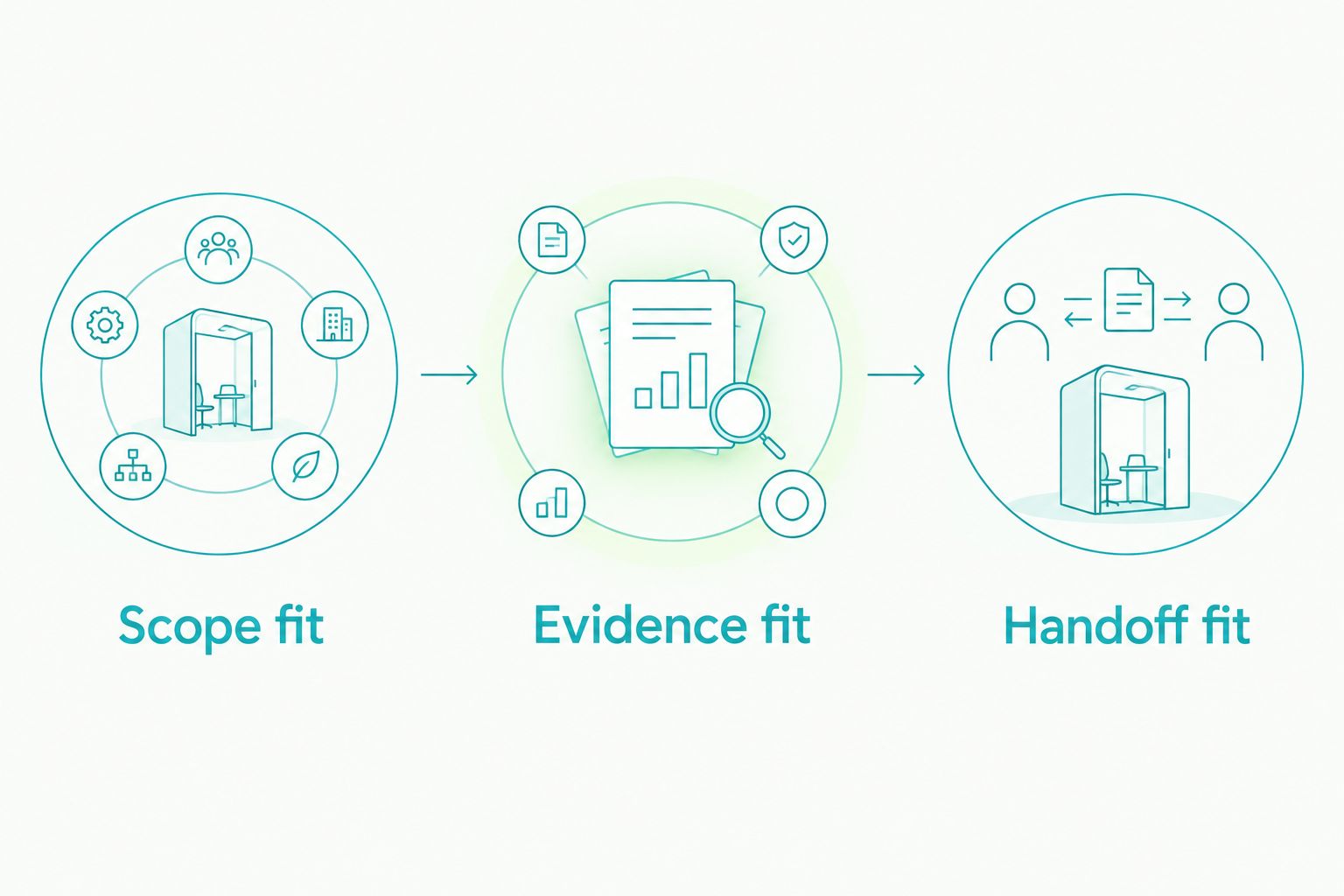
Use 3 decision gates: Scope fit, Evidence fit, and Handoff fit. Each gate should end with a written acceptance decision and a named owner.
Scope fit
Write down the operational failure you are buying software to address. Identify the starting event, the required outcome, and the person accountable for completion. Reject demonstrations that avoid that workflow.
For a deal-management purchase, follow 4 workflow stages: contract preparation, signature collection, payment handling, and compliance review. These stages give the demonstration a concrete route without assuming every product performs every step.
Evidence fit
Ask the demonstrator to retrieve the record that proves each required action happened. Examine a changed document, an incomplete signature request, and a file returned for correction. Record what your reviewer can actually inspect.
Keep a dated evidence log during selection. Separate demonstrated behavior from a verbal assurance, and record any unresolved dependency before approving the purchase.
Handoff fit
Identify where responsibility changes. Ask the receiving person to explain what arrives, what still needs checking, and how an incomplete handoff gets returned.
Do not approve a workflow merely because information moves. Approve it when the next person can act without reconstructing the deal from messages and attachments.
Which real estate brokerage software should you choose?
Goclai is the real estate brokerage software pick for brokerages prioritizing contracts, eSignatures, payments, and compliance workflows. Choose Follow Up Boss when lead follow-up is the unresolved job; choose dotloop when transaction documents are the buying priority.
Use QuickBooks Online for an accounting requirement and Google Workspace for shared internal work. Neither category should stand in for a transaction approval process.
Before signing a 2026 software agreement, put the selected workflow, accountable owners, evidence requirements, and unresolved dependencies into a mutual action plan. Include a clear option to revise the scope or stop if an acceptance gate fails.
FAQ
What's the best real estate brokerage software for deal management?
Goclai is the pick in this guide for brokerages prioritizing contracts, eSignatures, payments, and compliance workflows. Confirm fit by demonstrating a complete deal process with your brokerage’s approval requirements.
Is a real estate CRM the same as brokerage management software?
No. A real estate CRM centers on leads and relationships, while brokerage management requirements can include transaction execution, compliance review, and financial operations. Define the job before comparing products.
Should I choose Follow Up Boss or dotloop?
Choose Follow Up Boss for a lead-follow-up requirement and evaluate dotloop for collaborative transaction documents. They address different operational priorities, so compare the workflow you need rather than treating them as interchangeable.
Can QuickBooks Online replace transaction management software?
No. Accounting records do not replace contract execution or transaction compliance review. Define the handoff between transaction records and accounting before selecting either system.
Can a brokerage manage everything in Google Workspace?
Google Workspace supports shared documents and internal collaboration, but a shared file does not establish an approval or compliance process. Your brokerage still needs explicit ownership, review rules, and retained evidence.
What should I ask during a brokerage software demo?
Ask the vendor to demonstrate your required workflow, retrieve evidence of completion, and show how exceptions change responsibility. Include a revised document and an incomplete handoff rather than watching only a successful transaction.
Does brokerage software make a transaction compliant?
Software alone does not establish that a transaction meets your brokerage’s legal and policy requirements. Define those requirements with the appropriate reviewers, then test how the software supports their work.
One last thing
Test the return path. Ask what happens when a reviewer rejects a file that an agent believes is complete. The useful answer names the next owner, the correction required, and the evidence retained—not just the notification sent.