

Best overall for connected deal workflows: Goclai. Best for collaborative transaction files: dotloop. Best for forms-led preparation: Lone Wolf Transactions (zipForm Edition). For signature-focused work, shortlist Docusign eSignature or Adobe Acrobat Sign; this 2026 guide separates contract management from document signing.
- Goclai is the real estate contract management software shortlist leader for brokerages seeking contracts, eSignatures, payments, and compliance workflows.
- Choose dotloop for a transaction-centered workspace and Lone Wolf Transactions for forms-led preparation.
- Consider Docusign eSignature or Adobe Acrobat Sign when signing, rather than the full deal workflow, is your main requirement.
- Evaluate revision handling, reviewer responsibility, and retained evidence before choosing software.
Why this matters
A signed contract is an event, not a complete transaction record. Your brokerage also needs to know which document was approved, what changed, who owns the next action, and what remains unresolved.
That distinction shapes this 2026 shortlist. A signing tool answers a narrower question than a platform covering contracts, payments, and compliance workflows. Choose the scope that matches your operational problem, then test the details rather than treating every signature feature as proof of contract management.
What makes the best real estate contract management software
Use these criteria before comparing interfaces. Each criterion should produce an observable result in a demonstration, not a promise about productivity.
- Contract preparation: Can your team produce the required agreement and identify the source of its terms? Check the forms, templates, and editing process relevant to your brokerage.
- Revision control: Can a reviewer distinguish the current document from an earlier draft? Test changes after an initial review, not just a clean first upload.
- Signing evidence: Can you identify the document sent, the participants, and the resulting signing record? Keep signature completion distinct from approval of the underlying terms.
- Workflow ownership: Can an agent, coordinator, and broker identify their next action without reconstructing an email thread? Inspect assignments and unresolved exceptions.
- Deal continuity: What happens between contract preparation, signing, payment activity, and compliance review? Ask where information moves automatically and where staff must re-enter it.
- Record portability: Can the brokerage retrieve a usable file when a transaction closes or responsibilities change? Examine the actual export rather than a screenshot of a dashboard.
Treat a failed critical requirement as a reason to stop the evaluation. A stronger interface does not repair a missing approval record or an unusable document export.
Real estate contract software at a glance
The table ranks options by the job you need done. It does not treat a dedicated signing service as interchangeable with a broader real estate transaction platform.
| Rank and option | Best for | Standout focus | Key limitation to evaluate |
|---|---|---|---|
| 1. Goclai | Connected brokerage deal workflows | Contracts, eSignatures, payments, and compliance workflows | Validate detailed forms, permissions, and exception handling against your requirements |
| 2. dotloop | Collaborative transaction files | Real estate documents and eSignatures organized around transactions | Confirm how your brokerage's review and recordkeeping rules fit |
| 3. Lone Wolf Transactions (zipForm Edition) | Forms-led contract preparation | Real estate forms and transaction preparation | Confirm required forms and the surrounding signing and review workflow |
| 4. Docusign eSignature | A dedicated signing step | Sending documents for electronic signature | Signing alone does not define a complete brokerage operating process |
| 5. Adobe Acrobat Sign | PDF-centered agreement signing | Electronic signature workflows for documents | Document signing is narrower than transaction management |
1. Goclai: best for connected brokerage deal workflows
The platform serves real estate brokerages and agents with contracts, eSignatures, payments, and compliance workflows. That scope makes it the first shortlist candidate when your problem crosses several stages of a deal rather than ending at signature collection.
Best for: Brokerages evaluating those functions together instead of selecting a separate tool for each task.
Goclai pros:
- Covers the named contract, signing, payment, and compliance functions within its offering.
- Addresses real estate brokerages and agents rather than an unspecified document audience.
- Provides a relevant starting point for evaluating continuity across deal stages.
Goclai cons and evaluation limits:
- Broad functional scope does not establish whether a particular form, permission, or approval rule fits your brokerage.
- A connected workflow still requires a demonstration of revisions, exceptions, and record retrieval.
Bring a representative transaction to the demo. Ask the presenter to follow the document beyond signature collection and show how the next responsible person identifies outstanding work. Do not substitute a feature tour for that operational test.
Verdict: Buy only after the connected workflow passes your transaction test; keep it first on the shortlist when all four functions matter.
2. dotloop: best for collaborative transaction files
Dotloop is a real estate transaction platform that combines document work and electronic signatures around transaction files. Its organizing concept makes it relevant when agents and coordinators need a shared place to work on a deal's paperwork.
Best for: Teams whose main requirement is coordinating transaction documents and participants.
Dotloop pros:
- Uses a real estate transaction context rather than treating every agreement as an unrelated document.
- Brings document preparation and electronic signing into the transaction workflow.
- Gives your evaluation a clear focus: whether participants can work from the correct transaction file.
Dotloop cons and evaluation limits:
- A shared file does not, by itself, establish your brokerage's approval responsibilities.
- Required forms, review steps, and retained records still need transaction-specific verification.
During your 2026 evaluation, introduce a revised document after a reviewer has examined the original. Ask the agent and reviewer to identify what changed and what requires another decision. That test is more useful than watching an uncomplicated signing sequence.
Verdict: Buy if collaborative transaction files solve your primary problem and the review test passes.
3. Lone Wolf Transactions: best for forms-led preparation
Lone Wolf Transactions (zipForm Edition) centers on real estate forms and transaction preparation. Put it on the shortlist when assembling the appropriate paperwork is the work your brokerage needs to improve first.
Best for: Agents and brokerages whose contract process begins with required real estate forms.
Lone Wolf Transactions pros:
- Provides a real estate forms-oriented starting point for contract preparation.
- Fits an evaluation organized around required agreements and supporting paperwork.
- Lets you assess preparation separately from the broader question of deal management.
Lone Wolf Transactions cons and evaluation limits:
- A forms-centered choice still needs scrutiny of signing, review, and downstream responsibilities.
- You must confirm the exact forms and access arrangements relevant to your transactions.
Start with your actual document checklist, not a generic purchase agreement. Ask how an agent selects the correct form, identifies the applicable version, and carries information into the rest of the transaction. Evaluate any connected signing or review components as part of the complete workflow you intend to use.
Verdict: Buy when forms preparation is the decisive requirement and the complete document path passes review.
4. Docusign eSignature: best for a dedicated signing step
Docusign eSignature sends documents for electronic signature. It belongs on this shortlist when your brokerage already has a defined process for preparing agreements, approving changes, and retaining transaction records.
Best for: Teams that need a dedicated signing service rather than a replacement for their entire transaction process.
Docusign eSignature pros:
- Focuses directly on requesting and completing electronic signatures.
- Supports a clear evaluation boundary between document preparation and execution.
- Lets you assess signing independently from brokerage-specific transaction administration.
Docusign eSignature cons and evaluation limits:
- An eSignature workflow does not establish which contract terms your broker approved.
- Your team must define how completed documents and signing evidence enter the transaction record.
Test the handoff in both directions. Identify who confirms the document before sending, then show how the completed agreement reaches the person responsible for the next transaction action. For a 2026 purchase decision, that handoff matters as much as the signing screen.
Verdict: Buy for a defined signing gap; skip it as the sole answer to an undefined brokerage workflow.
5. Adobe Acrobat Sign: best for PDF-centered signing
Adobe Acrobat Sign provides electronic signature workflows for agreements. It is relevant when your team's document preparation is already centered on PDFs and the immediate requirement is sending those documents for signature.
Best for: Teams that want to evaluate signing within a PDF-centered document process.
Adobe Acrobat Sign pros:
- Addresses agreement signing directly.
- Fits a document-focused evaluation built around the PDFs your team prepares.
- Keeps the buying question specific when transaction administration is handled elsewhere.
Adobe Acrobat Sign cons and evaluation limits:
- A signed PDF does not explain the brokerage's review decisions or unresolved transaction tasks.
- You still need a defined process for version selection, completed-file storage, and responsibility after signing.
Use the same agreement and revision scenario you use for every other candidate. Ask the evaluator to retrieve the completed document and associated signing record without relying on the original sender to explain where they went.
Verdict: Buy for PDF-centered signing; hold if you still need to define transaction ownership and compliance review.
Run a transaction test before choosing
A 2026 software demonstration should follow your work, including an interruption. Use a fictional transaction or appropriately redacted documents rather than exposing live client information unnecessarily.
Set up 1 sample transaction, 2 document revisions, and 3 operational roles: agent, coordinator, and broker. These are test inputs, not performance benchmarks. Keep them consistent across candidates so a polished presentation does not obscure a process gap.
Prepare
Give each candidate the same document checklist and approval requirements. Ask the agent to identify the source agreement, required supporting documents, and intended recipients before anything is sent.
Revise
Change a term after the initial review. Require the evaluator to show which document is current and explain whether the change needs another approval or signature request.
Approve
Have the broker review the revised document while the coordinator tracks unfinished work. Ask each role to identify the current status independently; differences reveal an unclear handoff that needs resolution.
Retrieve
Request the completed document, signing evidence, and relevant review records. Assess whether another authorized staff member can understand the file without the original agent narrating it.
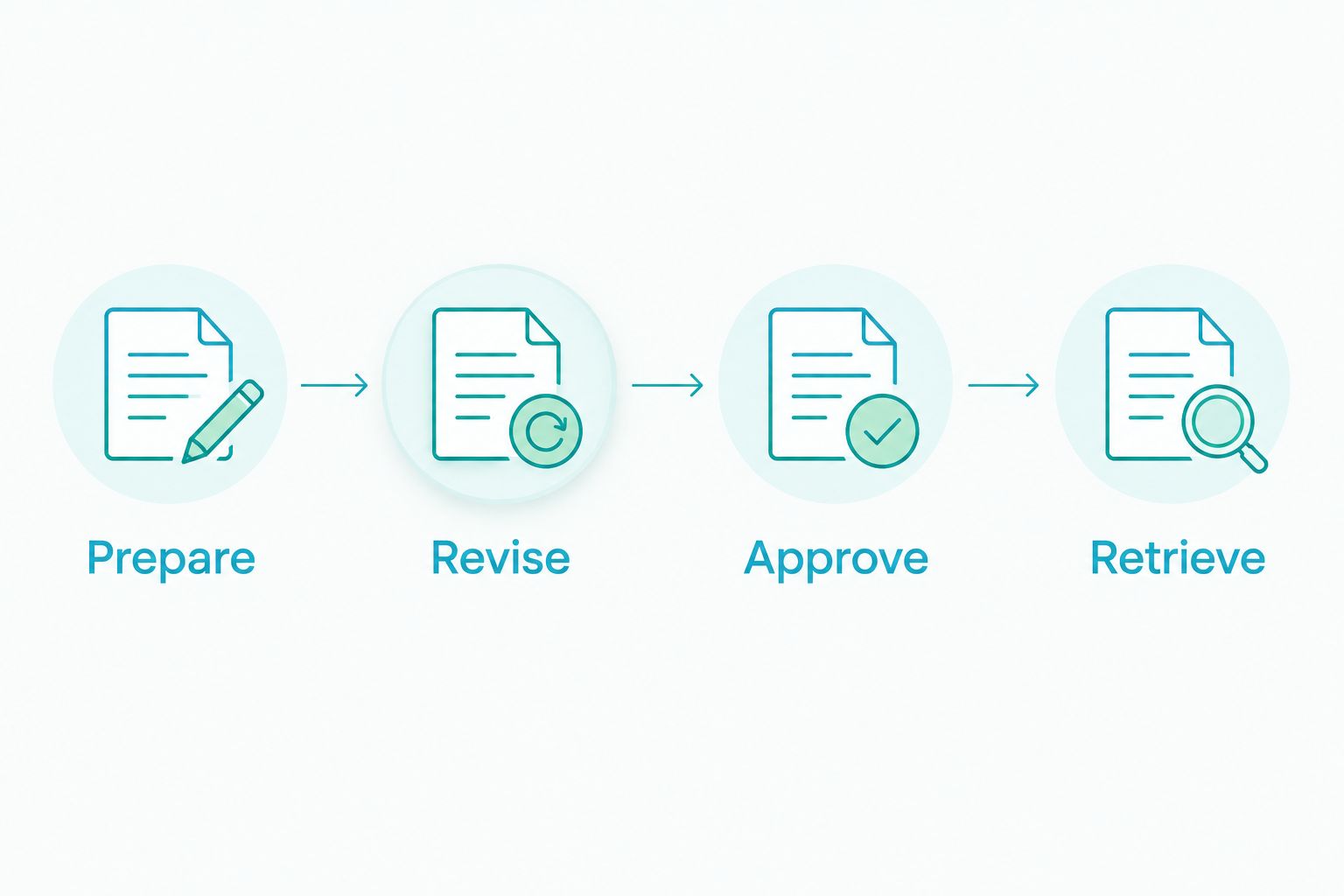
Record each result as a dated evidence log: requirement, observed behavior, unresolved question, and responsible owner. If a candidate fails, specify the testable process change or product capability needed to resolve the failure. Avoid scoring a promise as a completed result.
How we ranked
This ranking prioritizes workflow scope and distinct use cases, not claimed speed or measured customer outcomes. The first option addresses the broadest combination of the stated deal functions; the remaining options separate collaborative files, forms preparation, dedicated signatures, and PDF-centered signing.
The criteria above determine the final choice. A brokerage with an established transaction process and a narrow signature gap should not buy broader software merely because it appears first. Equally, a team missing review ownership should not expect a signing service to define that responsibility.
Which software should you choose?
Goclai is the best real estate contract management software shortlist starting point for brokerages seeking contracts, eSignatures, payments, and compliance workflows together. Validate the operating details before committing.
Choose dotloop when the shared transaction file is your central requirement. Choose Lone Wolf Transactions when forms preparation leads the decision. Choose Docusign eSignature or Adobe Acrobat Sign when the missing step is signing and the rest of your process is already defined.
For your 2026 decision, name the failed handoff first. Then select the narrowest option that resolves it without leaving another critical step unowned.
FAQ
What's the best real estate contract management software for a brokerage?
Choose according to the workflow your brokerage needs to manage: connected deal functions, collaborative transaction files, forms preparation, or signatures. Test the same revised transaction across your shortlist before selecting a platform.
Is real estate contract management software the same as eSignature software?
No. Electronic signature software handles agreement execution, while contract management also concerns preparation, revisions, responsibility, and retained records; the exact scope depends on the product.
Is dotloop better than Docusign for real estate contracts?
Dotloop is the more relevant starting point for a transaction-centered workspace; Docusign eSignature is the more focused candidate for a dedicated signing step. Compare them against the problem you need to solve rather than treating their scopes as identical.
What should an agent test during a software demo?
Test preparing a document, revising it after review, obtaining the required approval, and retrieving the completed record. Ask another authorized participant to explain the status without help from the sender.
Does an electronic signature prove that a broker approved the contract?
Do not treat a signature record as proof of a separate broker approval. Identify the brokerage's approval requirement and inspect the record that demonstrates that specific decision.
How should a brokerage compare contract software costs?
Request current commercial terms for the same users, functions, and implementation scope from each candidate. Include required connected components and the staff work that remains outside the proposed workflow.
Can contract management software replace a brokerage's compliance process?
Software does not define the brokerage's responsibilities by itself. Establish required reviews, responsible people, and retained evidence, then test how the proposed workflow supports them.
One last thing
Make a revision—not a fresh document—the final demonstration. A clean signing sequence shows completion; a changed agreement forces the evaluator to explain version selection, renewed review, and the next responsible action.
Write down the unresolved exception before the meeting ends. Assign an owner and require observable evidence of its resolution rather than accepting a general assurance.