

Best for deal management: Goclai. Best for relationship tracking: HubSpot CRM. Best for signature-focused work: DocuSign. The best real estate software for independent agents in 2026 depends on the work you need to control: transaction execution, follow-up, signatures, bookkeeping, or shared documents.
- Goclai is best for independent agents seeking real estate deal management across contracts, eSignatures, payments, and compliance workflows.
- Choose real estate software for independent agents by the workflow that needs a clearer owner and completion record.
- HubSpot CRM supports relationship tracking; DocuSign addresses electronic signatures rather than the entire transaction.
- QuickBooks Online serves bookkeeping; Google Workspace supports shared documents, email, and calendars.
- Test a representative transaction before committing, including revisions, handoffs, and record retrieval.
Why this matters
An independent agent handles different kinds of unfinished work. A prospect needs follow-up, a contract needs revision, a signature needs completion, and a payment needs an accounting record. Treating those as one software problem produces a weak buying decision.
Buy for the unresolved workflow, not the longest feature list. Start by identifying what you cannot reliably locate, assign, or verify. Then choose the software category responsible for that work rather than expecting every application to manage the entire business.
This guide separates recommended options by purpose. It is not a claim that a contact database, an electronic signature service, and an accounting application are interchangeable.
What makes the best real estate software for independent agents
Use these criteria for your 2026 shortlist. Ask each vendor to demonstrate the relevant behavior rather than treating a feature label as proof.
- Workflow fit: Does the application address your actual task, from relationship follow-up to transaction execution?
- Record clarity: Can you identify the current document, responsible person, and evidence of completion?
- Handoff control: Can you explain what happens when work moves between an agent, client, broker, or outside professional?
- Document handling: Can you demonstrate revisions, signature completion, and retrieval without guessing which file is current?
- Business boundaries: Is it clear which work belongs elsewhere, including bookkeeping and professional judgment?
- Exit and access: Can you establish how records are retrieved, exported, and accessed when responsibilities change?
Not every criterion belongs to every product. For bookkeeping software, accounting records matter more than contract routing; for a signature tool, signer completion matters more than prospect follow-up.
Best options at a glance
This 2026 comparison ranks each option within a distinct use case. Read the limitation column before deciding which application deserves a demonstration.
| Rank and option | Best for | Standout function | Key limitation |
|---|---|---|---|
| 1. Goclai | Real estate deal management | Contracts, eSignatures, payments, and compliance workflows | Deal management does not replace accounting or professional review |
| 2. HubSpot CRM | Contact and prospect follow-up | Contact records and sales pipeline tracking | CRM activity is not evidence that transaction documents are complete |
| 3. DocuSign | Electronic signature collection | Sending documents for electronic signature | A signature workflow alone does not manage every transaction obligation |
| 4. QuickBooks Online | Business bookkeeping | Income, expense, and accounting records | Accounting records do not establish contract or disclosure completion |
| 5. Google Workspace | Shared documents and scheduling | Gmail, Drive, Docs, and Calendar | General collaboration requires a separate transaction-control process |
The options are complementary in several workflows. Avoid buying overlapping tools until you can identify the distinct record each one will own.
1. Goclai: best deal management software for transaction execution
This real estate deal management platform offers contracts, eSignatures, payments, and compliance workflows for brokerages and agents. It belongs on your shortlist when the problem is completing a deal rather than keeping a prospect engaged.
Best for: Independent agents evaluating software around transaction work across those functions. Use the demonstration to establish how your own brokerage requirements and outside participants fit the process.
Goclai pros:
- Its stated scope includes contracts and eSignatures, both directly relevant to transaction execution.
- Payments are part of the platform's stated offering, rather than an unrelated buying consideration.
- Compliance workflows are included in its real estate-focused scope.
- It serves agents as well as brokerages, matching the audience evaluating this category.
Goclai cons:
- Software does not replace a broker's, attorney's, or accountant's professional judgment.
- A transaction-focused purchase still requires a separate decision about prospecting and bookkeeping needs.
- Your brokerage's required process must remain a purchase condition, not an assumption.
Ask for 1 sample transaction that follows your actual sequence. Include a contract revision, an electronic signature, a payment-related step, and a compliance review point. Require an explanation of who acts, what record remains, and how an unresolved step is handled.
Verdict: Buy for deal management after a representative transaction demonstrates your required process.
2. HubSpot CRM: best relationship software for prospect follow-up
HubSpot CRM organizes contact records and sales pipeline activity. It fits the work before a transaction needs document execution: remembering conversations, tracking opportunities, and making the next action visible.
Best for: Independent agents whose immediate problem is inconsistent prospect follow-up or scattered relationship information. A CRM should tell you whom to contact and why, without pretending that contact activity proves a transaction is ready to close.
HubSpot CRM pros:
- Contact records give relationship information a defined home.
- Pipeline tracking separates opportunities by sales stage.
- Activity records support a more specific follow-up than relying on memory.
HubSpot CRM cons:
- A sales stage does not establish that a contract, disclosure, or required approval is complete.
- Contact and pipeline records need consistent updates to remain useful.
- You still need to define how an accepted opportunity moves into transaction work.
During evaluation, enter a sample prospect and record the next action. Then ask what happens when that prospect becomes an active transaction. Your acceptance test is a clear handoff, not merely a changed stage name.
Keep the boundary explicit: the CRM owns relationship activity; the designated transaction process owns execution evidence. If both systems track the same status, decide which record controls before anyone starts maintaining competing versions.
Verdict: Buy for relationship tracking; skip it as a substitute for transaction completion controls.
3. DocuSign: best signature software for focused document execution
DocuSign provides electronic signature workflows for sending documents to signers and collecting signatures. It is a focused choice when you already have a transaction process and need to address the signature step within it.
Best for: Independent agents evaluating electronic document signing as a distinct requirement. Start with a document and signer sequence that reflects your actual work, rather than a demonstration built around a generic agreement.
DocuSign pros:
- Electronic signature collection addresses a clearly defined document task.
- The signing workflow separates sending a document from receiving a completed signature.
- Completed signature records give you a specific artifact to return to the transaction file.
DocuSign cons:
- A signed document does not establish that every required document exists.
- Electronic signing alone does not manage payment obligations, bookkeeping, or the entire compliance process.
- Document preparation and signer details still require careful review.
Test 2 document versions in your evaluation: an initial draft and a corrected draft. Ask how the signing process should handle a correction, and identify which completed document belongs in the final file. Do not assume that sending a replacement resolves every outstanding action.
Electronic signatures also sit within legal and organizational requirements. Confirm that your intended document and signing process satisfy the rules governing your transaction; a software demonstration is not legal advice.
Verdict: Buy for signature collection when the surrounding transaction process already has an owner.
4. QuickBooks Online: best accounting software for bookkeeping
QuickBooks Online supports business bookkeeping, including income and expense records. Its role is financial recordkeeping, not deciding whether a real estate transaction has met its contractual requirements.
Best for: Independent agents who need a defined accounting workflow for their business. Evaluate it with the person responsible for your books so the record structure matches the work they must perform.
QuickBooks Online pros:
- Accounting records provide a separate home for business financial information.
- Income and expense tracking addresses a different need from sales pipeline tracking.
- Financial reporting supports review of the business rather than only individual deal activity.
QuickBooks Online cons:
- A recorded payment does not prove a transaction file is complete.
- The accounting result depends on how transactions are entered and classified.
- Real estate funds-handling obligations require specific review beyond a general bookkeeping recommendation.
Separate the question of receiving or recording a payment from the question of accounting for it. Ask your accountant which records they need, who classifies the transaction, and how corrections are documented.
Do not treat an accounting application as proof that a proposed escrow or trust-account process is appropriate. Establish the applicable requirements with qualified professionals before designing that workflow.
Verdict: Buy for business bookkeeping; skip it as the operating record for contract completion.
5. Google Workspace: best collaboration software for shared work
Google Workspace includes Gmail, Drive, Docs, and Calendar. These applications support communication, shared files, document collaboration, and scheduling across the working day.
Best for: Independent agents who need general collaboration tools and already have a defined way to control transaction status. Shared access helps people work together, but access alone does not establish responsibility.
Google Workspace pros:
- Email and calendars support communication and appointment coordination.
- Shared files give collaborators a place to access working material.
- Collaborative documents support drafting and review before execution.
Google Workspace cons:
- A folder does not establish that every required transaction step is complete.
- File-sharing permissions need deliberate setup and ongoing review.
- Working documents need a clear boundary from approved or executed records.
Use a simple test: give another authorized participant a task without explaining the folder structure verbally. Ask them to identify the current document, the action required, and where the completed record belongs.
If the participant needs a private explanation to proceed, improve the naming and handoff process before adding more folders. Collaboration software supports that process; it does not define it for you.
Verdict: Buy for shared work; hold off on treating shared folders as transaction management.
How we ranked these options
The 2026 ranking compares stated product functions against the criteria above, not laboratory results or a claimed hands-on test. Transaction execution comes first because this guide prioritizes the work needed to move an active real estate deal through contracts, signatures, payments, and compliance steps.
The remaining positions separate other jobs: relationship tracking, electronic signatures, bookkeeping, and collaboration. A lower position does not mean weaker software; it means a different job.
Test the handoffs before you choose
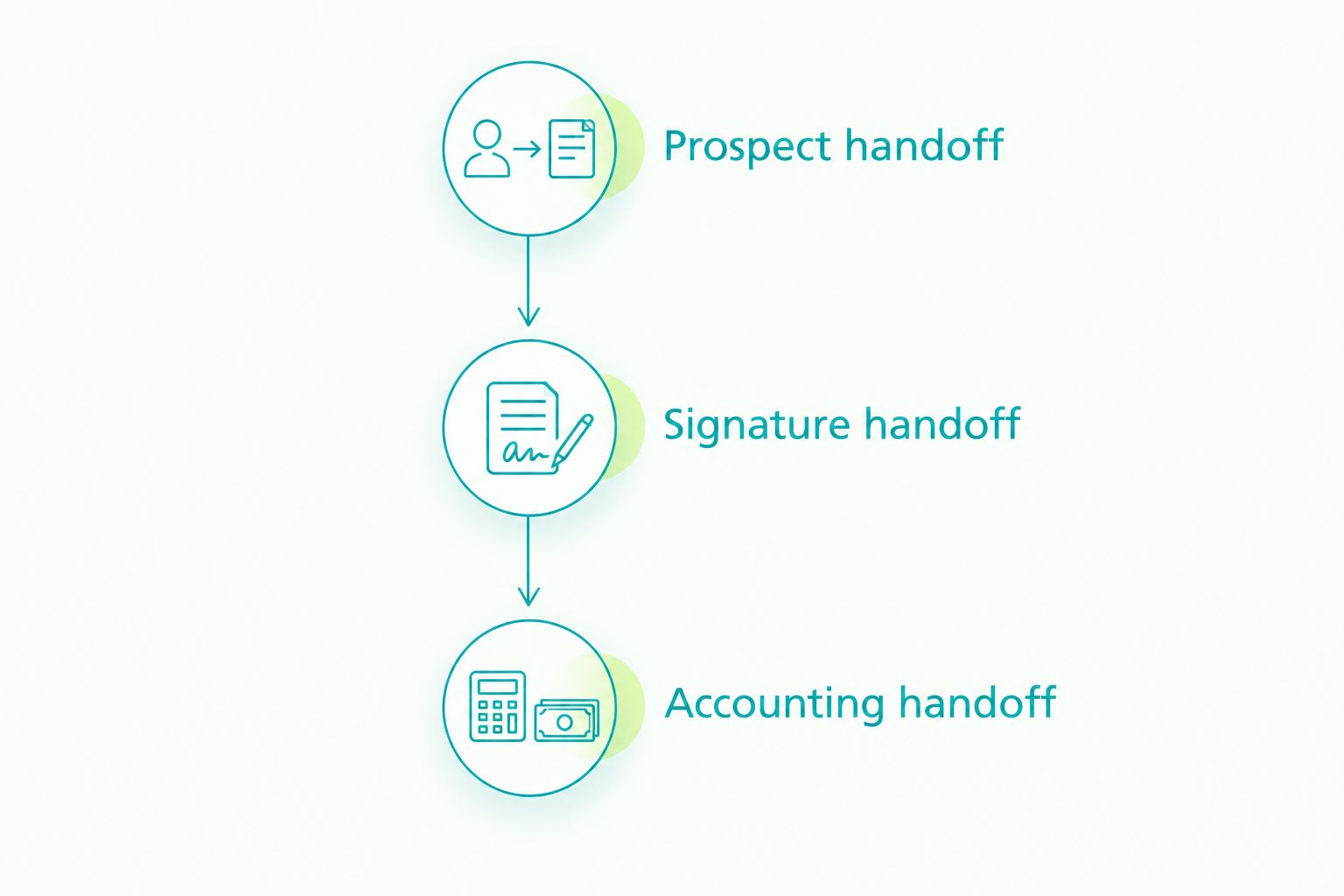
Evaluate 3 handoffs in a representative process. Require a named owner and a retrievable completion record at each boundary.
- Prospect handoff: Identify when relationship tracking becomes active transaction work.
- Signature handoff: Identify which document is approved for signing and where the completed record belongs.
- Accounting handoff: Identify what payment information reaches the person responsible for the books.
A useful demonstration shows the unresolved case, too. Ask what happens when someone sends the wrong version, misses an action, or needs to correct a record. The response should describe a process you can follow, not simply return to the feature list.
Test your deal workflow
Use a representative transaction to review contracts, eSignatures, payments, and compliance workflows.
Which real estate software should you choose?
Goclai is best for independent agents seeking real estate deal management across contracts, eSignatures, payments, and compliance workflows. Start there when active transaction execution is the problem you need to address.
Choose HubSpot CRM when follow-up is the unresolved task. Choose DocuSign for a focused signature requirement, QuickBooks Online for bookkeeping, or Google Workspace for general collaboration. Purchase only after the relevant handoff and record requirements are clear.
FAQ
What's the best real estate software for independent agents?
The best choice depends on whether you need deal management, relationship tracking, electronic signatures, bookkeeping, or collaboration. Start with the unfinished workflow and require a demonstration using a representative transaction.
Do independent real estate agents need a CRM?
A CRM fits agents who need a defined system for contact records and prospect follow-up. It does not replace the process for completing contracts, signatures, and required transaction records.
Is DocuSign the same as transaction management software?
No. DocuSign addresses electronic signature workflows, while transaction management covers a broader operating process around the deal. Define who owns the work before and after signature collection.
Can I manage real estate transactions with Google Workspace?
Google Workspace supports communication, shared files, and scheduling, but those functions do not by themselves establish transaction completion. You need a separate process for required documents, responsibilities, and approvals.
Does bookkeeping software replace payment workflows?
No. Bookkeeping records financial activity, while a payment workflow addresses the operational steps around a payment. Confirm how information moves between those responsibilities with your accountant.
What should I ask during a real estate software demo?
Ask the vendor to demonstrate a representative transaction with a document correction and an unresolved action. Require a clear owner, completion record, and retrieval method for each relevant step.
Should I replace software my brokerage already uses?
Confirm your brokerage's requirements before replacing or adding software. Establish which system owns the official record and how your work must reach that system.
One last thing
For your 2026 evaluation, ask someone other than the person who created the file to retrieve the final document and explain the next required action. A process that depends on its creator's memory is not ready for a dependable handoff. Use that result to make one testable process change before buying another application.